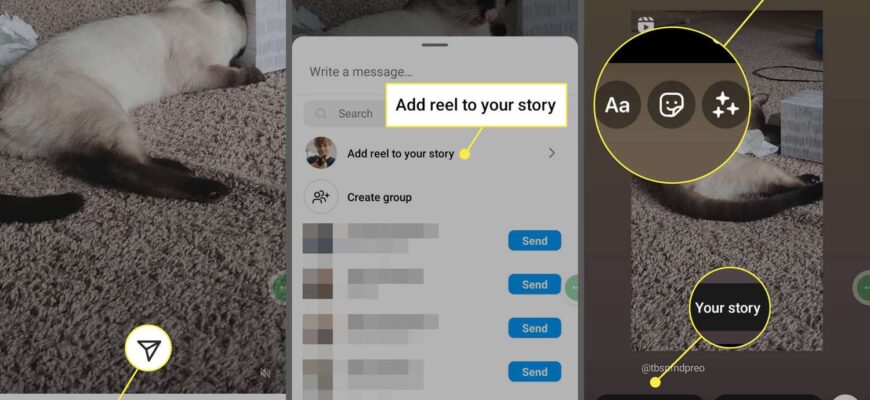
Tap the repost icon (circular arrows) under a post or reel to share it to your profile, or use the paper plane icon to add it to your Story.
Contents
Ways to repost
- Repost icon: tap the repost arrows below a post or reel to share it to your feed and profile.
- Story: tap the paper plane, then “Add to story.”
- Third-party apps: these may break Instagram’s terms.
Give credit
If you repost, tag the creator and ask permission when you use their work commercially.


Limits

Private account posts cannot be reposted.
Based on data from Instagram Help Center.