In Chrome, press Ctrl + Shift + Delete, select cookies and cached images and files, and click Clear data.
Chrome (computer)
- Press Ctrl + Shift + Delete (Command + Shift + Delete on Mac).
- Choose a time range.
- Check Cookies and other site data and Cached images and files.
- Click Clear data.
Safari on Mac
Safari menu, Settings, Privacy, Manage Website Data, Remove All.
Firefox
Ctrl + Shift + Delete, select Cookies and Cache.
Phone
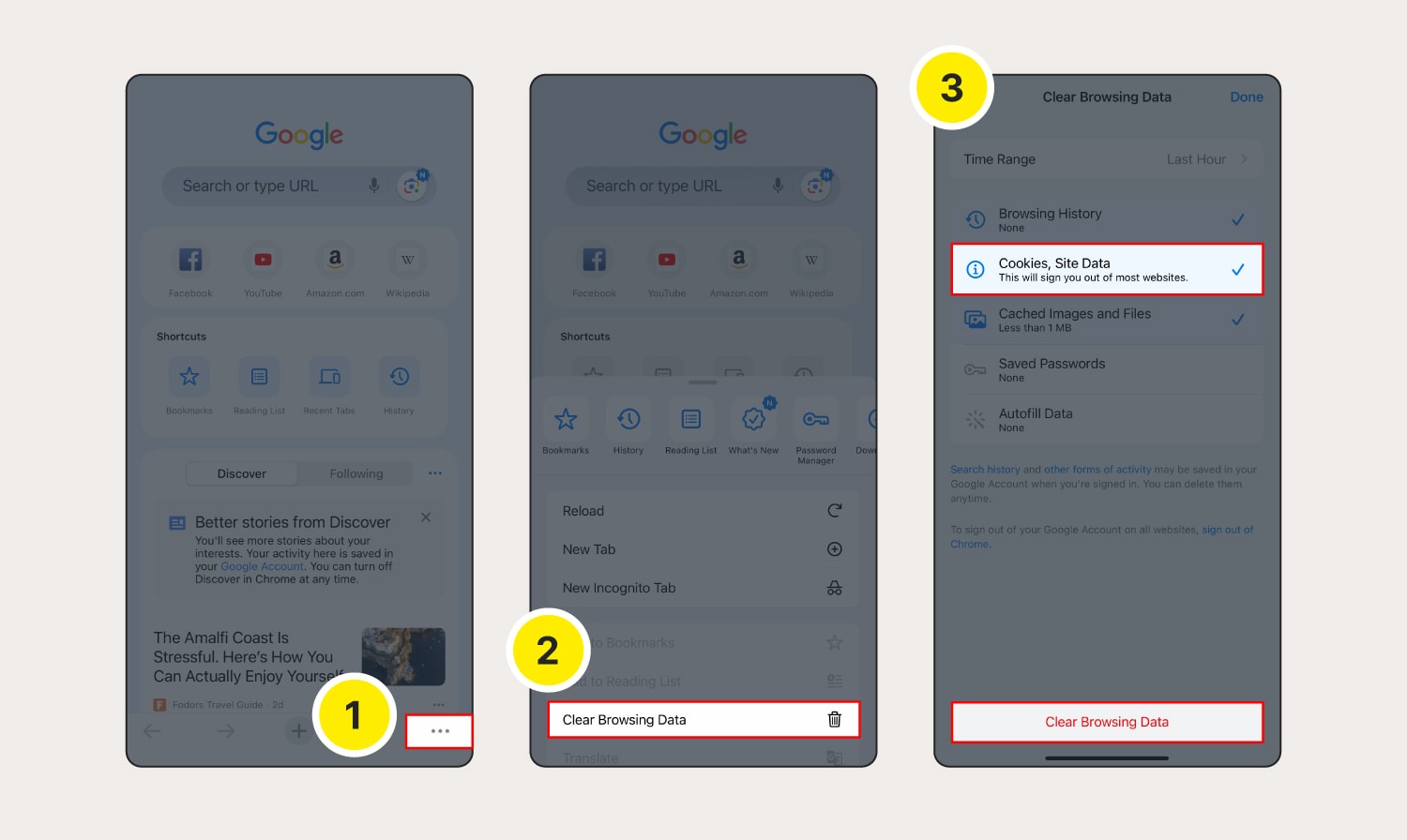
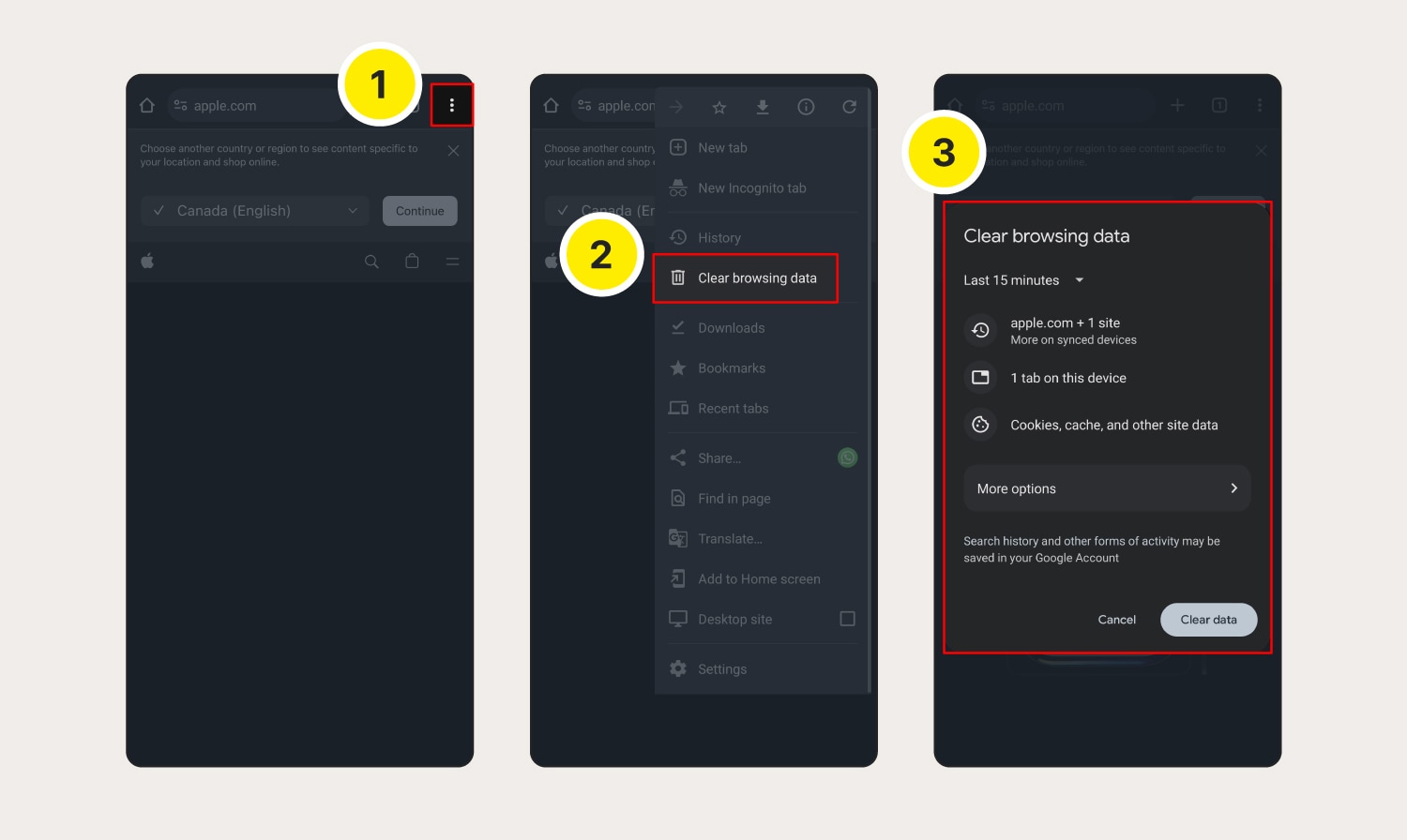
Chrome app: three dots, Delete browsing data. Safari on iPhone: Settings, Safari, Clear History and Website Data.
Effects
You’ll be signed out of sites and may find pages load slower at first.

Why
It fixes display problems and protects privacy.
Based on data from Google Chrome Help, Apple Support and Mozilla Support.